






We've selected hundreds of titles to be easily downloaded and printed on your printer. The music is formatted as a high resolution PDF. Simply look for the "PDF" icon on the search results page and click on the title.

A multitude of titles from our renowned Choral Subscription Service, plus an ever-growing number of new and best-selling recordings, are now available for download directly from our website! Enjoy the speed and convenience of downloading an entire album by your favorite GIA artist for only $12.99, or mix and match individual tracks for just $1.29 each! Each high-resolution (256kbps), DRM-free track downloads to your desktop or directly to iTunes.
And, with a Practice Track License from OneLicense.net, choir directors and leaders can now legally burn practice CDs or email the mp3s directly to your choir or ensemble! See OneLicense.net for more details on Practice Track licensing.
Many products on GIAmusic.com are now available for traditional shipping methods, and as digital download(PDF and/or MP3 files). Each item in the product search is marked with either a ship or download icon.

Select the "download" method if you'd like to download the PDF(print) or MP3(audio) of the music you are purchasing.

Select the "ship" method if you'd like to have a physical product you are purchasing delivered to you via a traditional shipping method.

On the title's detail page, select your preferred delivery type of either shipping the physical printed music/CD or downloading the digital file(PDF/MP3). Then select the quantity of copies you wish to make of the file and click the "Add To Cart" button. If you wish to make 10 copies of the music, simply enter "10" in the "Quantity" field.
After completing your checkout, you will be presented with a "Download Now" button on the confirmation page.

Click on the types of music below to browse downloadable titles.
List All MP3s List Instrumental Part PDFs List Guitar Part PDFs
How to search for
downloadable music
Finding downloadable music is easy. Simply click on the "Catalog Search" button at the top of each page on this website.

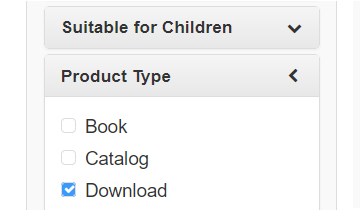
On the catalog search page, check the "Download" product type check box along with your other search criteria.